
AiCrm · All your customers in one place, even if they come from five different places
 AI
For small teams and developers whose contacts are spread across the website, form, chat, and a spreadsheet: AiCrm brings them together, tags them, and reminds you who you need to call today.
In the features that use AI, responses are generated by artificial intelligence and are not a substitute for professional advice.
Apakah Anda masih mencatat jam kerja tim di spreadsheet?
TimeTrack menaruh absen di ponsel setiap karyawan: satu ketukan untuk masuk, satu untuk istirahat, dan satu untuk keluar, dengan stopwatch yang terlihat berjalan dan, jika perusahaan Anda membutuhkannya, lokasi yang diperiksa terhadap area tempat kerja. Setiap orang melihat jam kerja minggu ini, saldo jamnya, dan sisa cutinya, dan mengajukan ketidakhadirannya langsung dari sana. Anda melihat tim secara real-time, menyetujui atau menolak permintaan, menyusun jadwal shift, dan mengekspor catatan absensi dalam CSV kapan pun diperlukan.
Start for free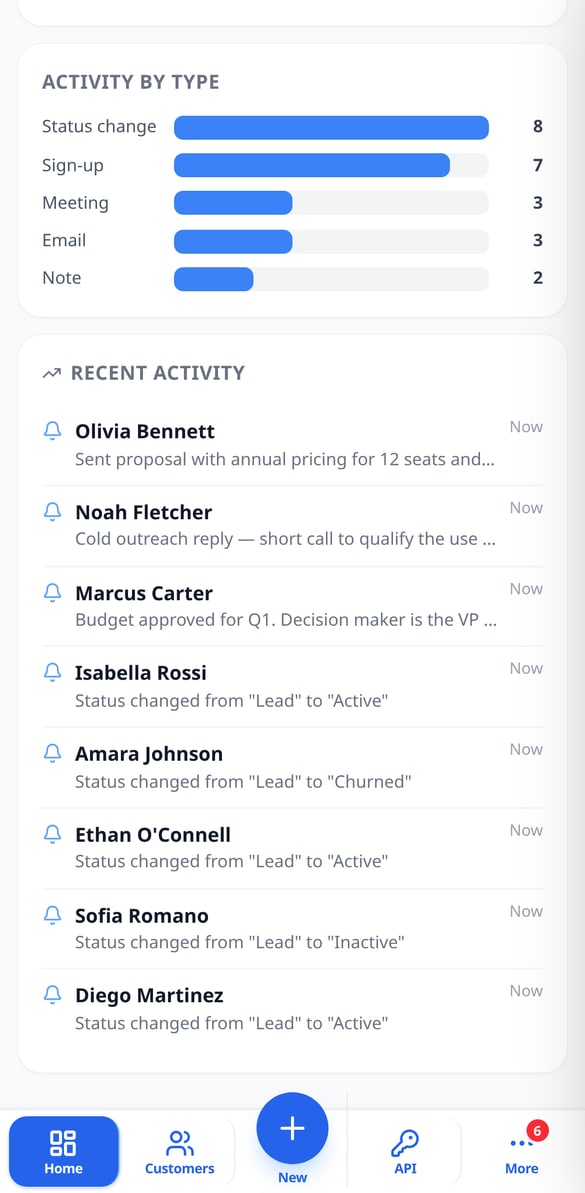
Discover every feature in detail

Customer Follow-up Reminders with Overdue Alerts | AiCrm
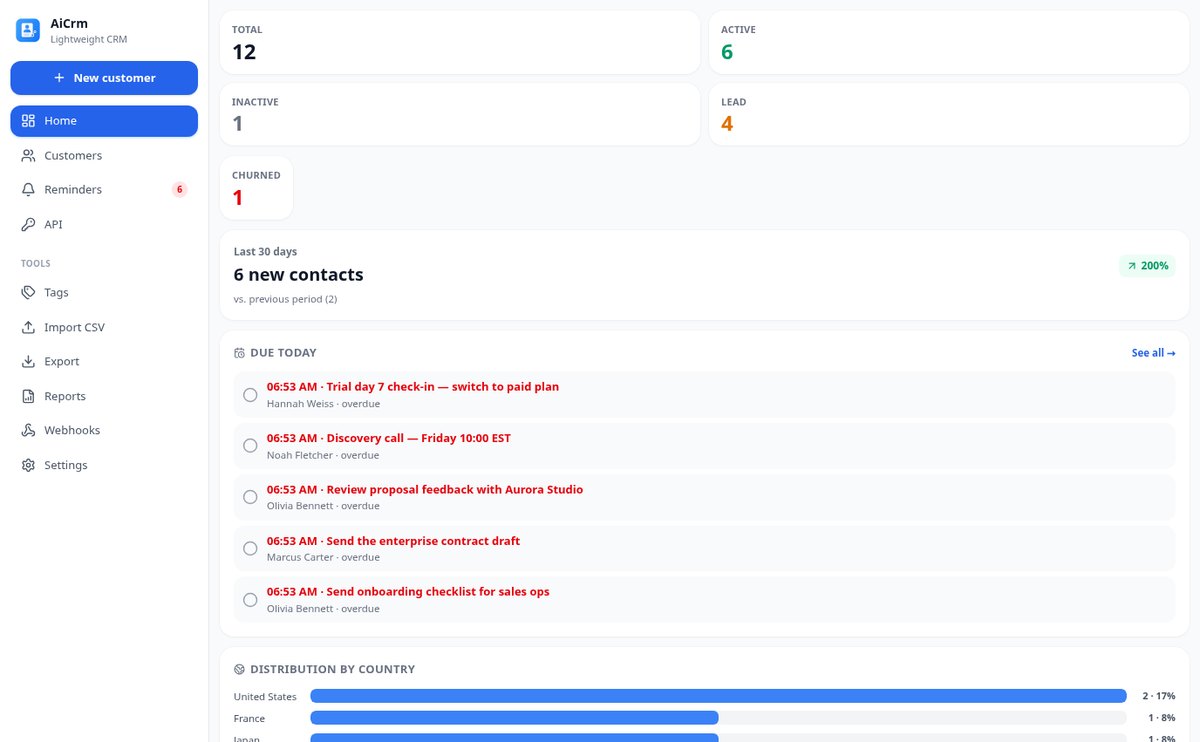
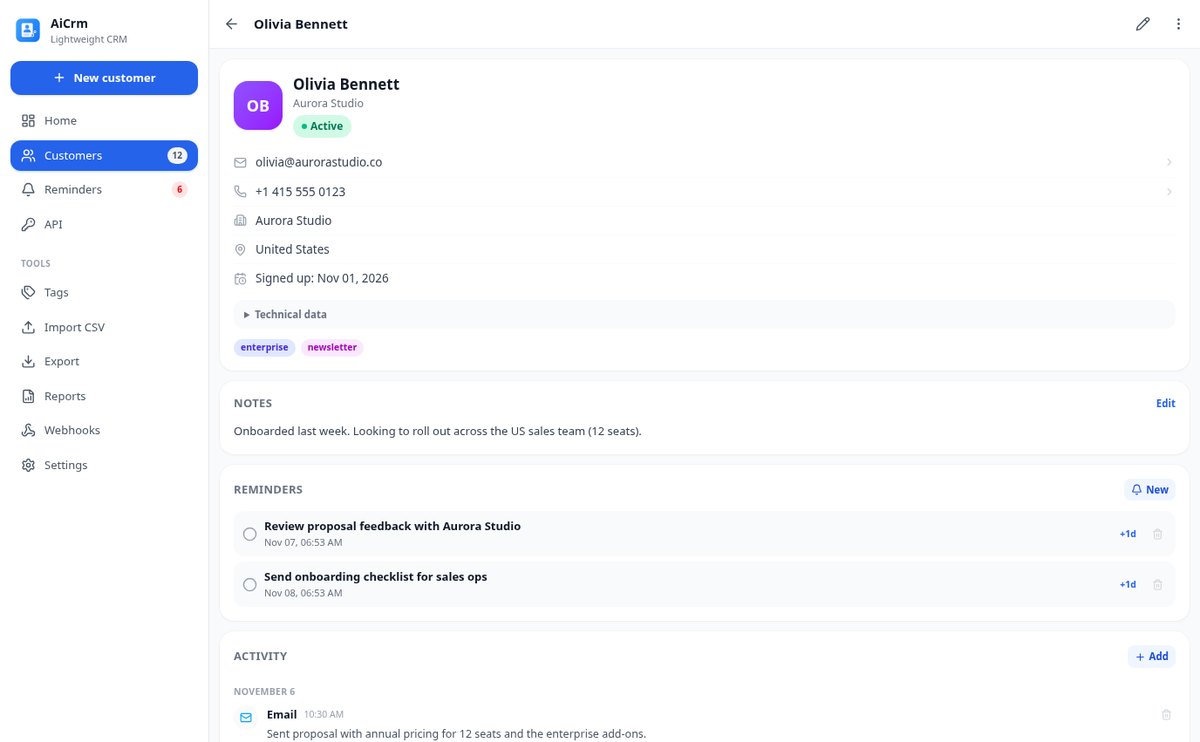
Schedule follow-ups with date and time on each customer record: AiCrm shows you today's pending tasks when you open the dashboard, marks overdue ones in red, keeps a pending counter and lets you postpone with one tap.
View feature
Customer funnel lead, active, inactive and lost | AiCrm
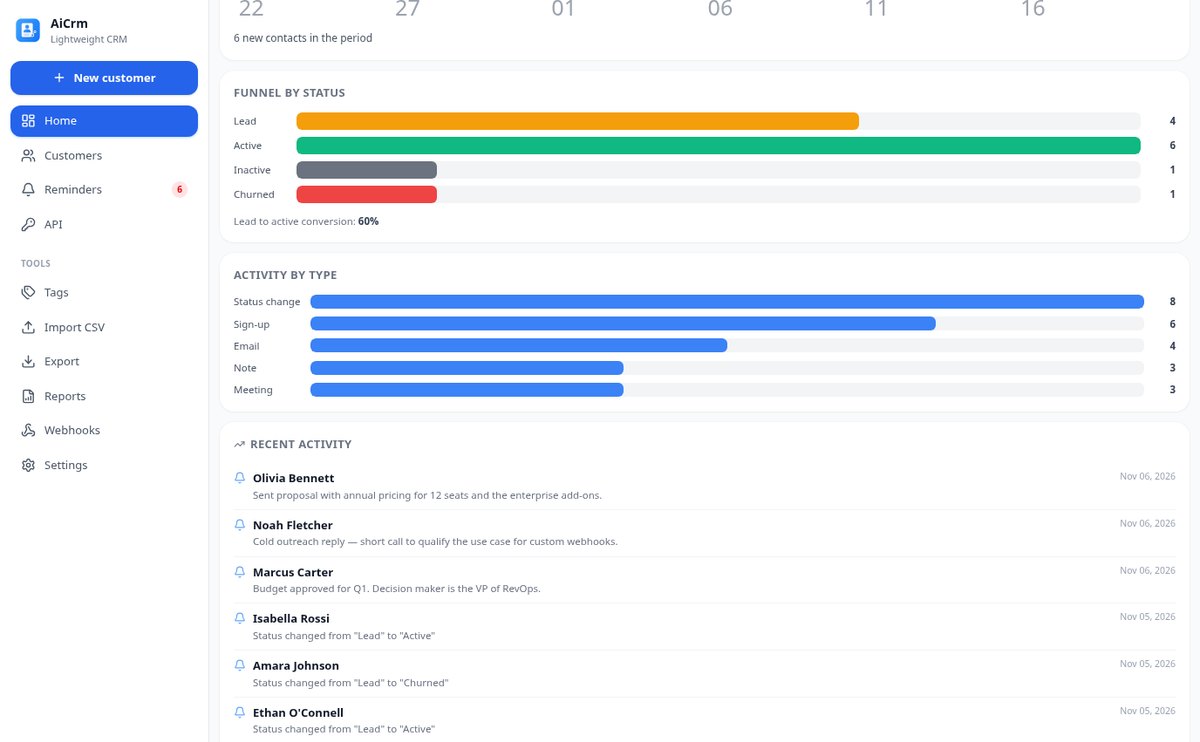
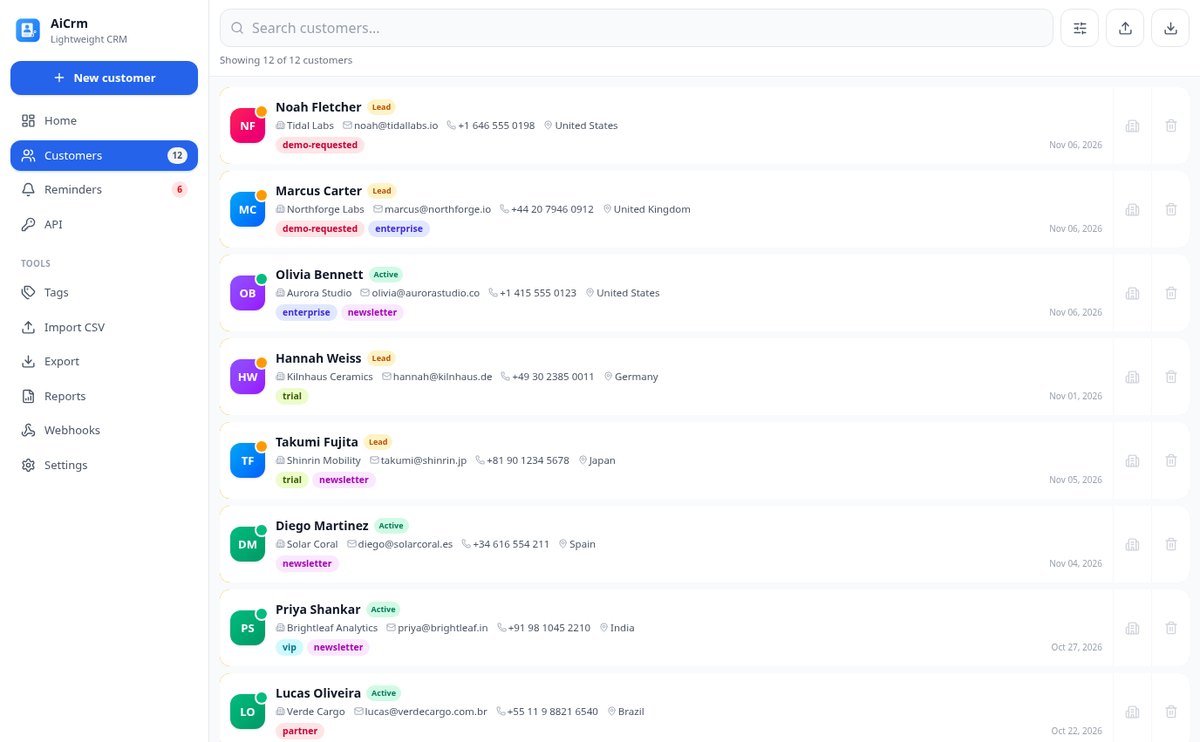
Classify each contact by lifecycle status—lead, active, inactive or lost—, check the funnel with lead to active conversion, filter by phase and let AiCrm move to inactive those with days of no activity.
View feature
Customer activity history: automatic timeline | AiCrm
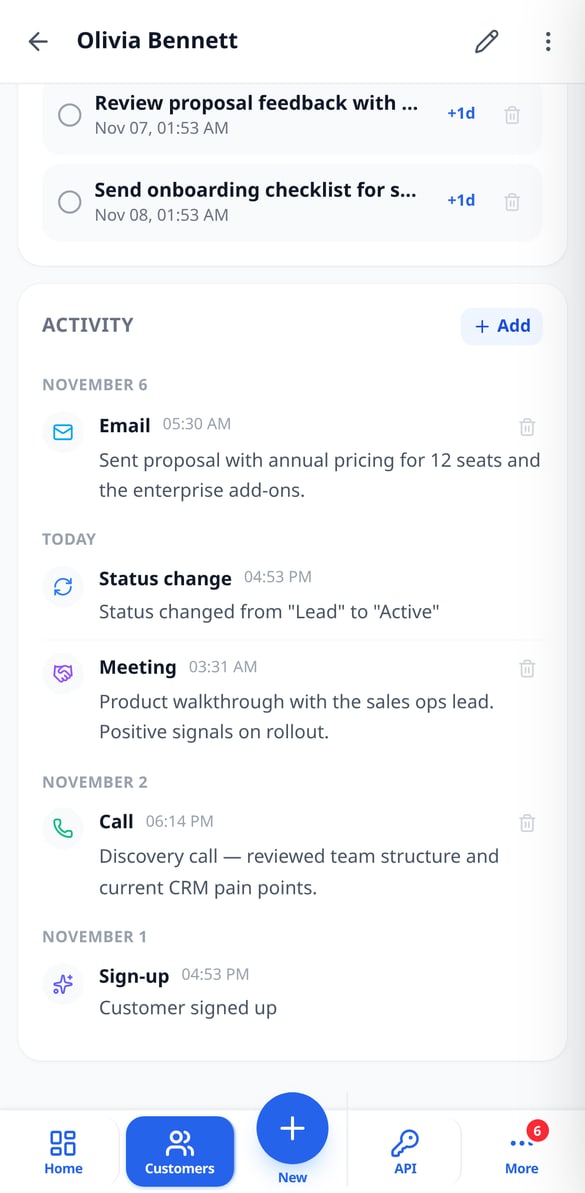
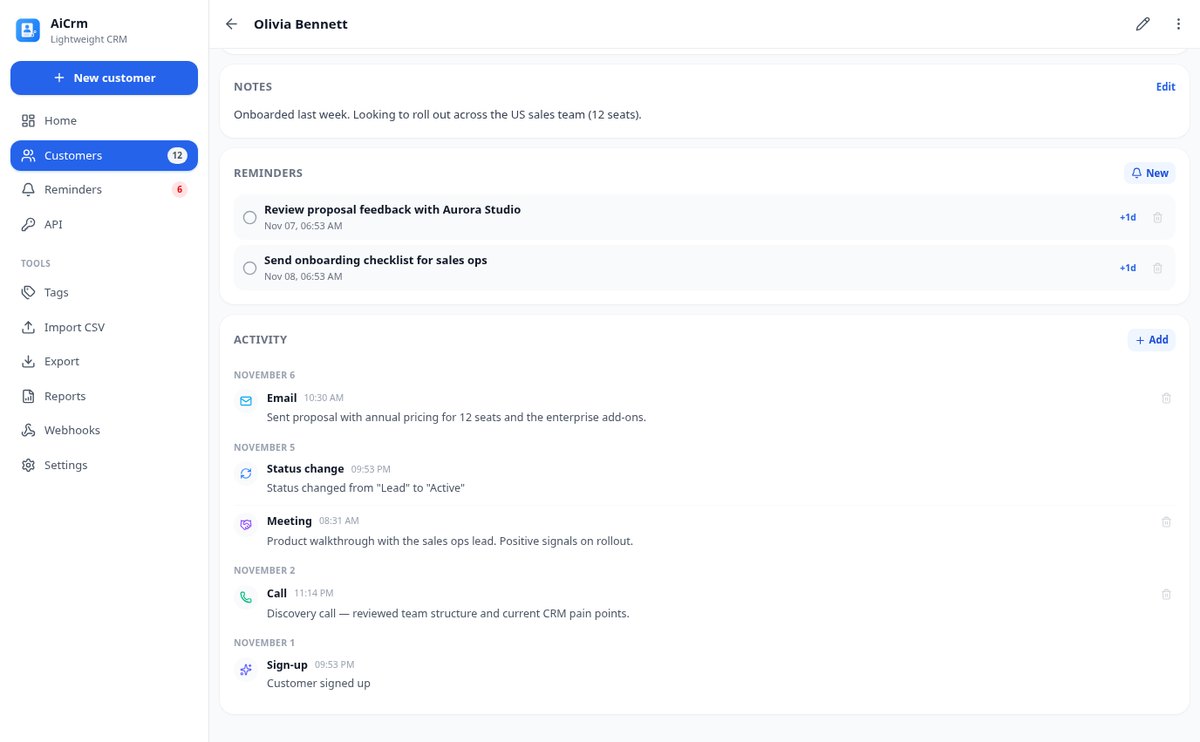
Record everything that happens with each customer on a timeline: sign-ups, status changes, and merges are written automatically, and you add calls, emails, meetings, visits, tasks, and notes with their actual date.
View feature
Detect and Merge Duplicate Contacts in Your CRM | AiCrm
AiCrm finds duplicate contacts by email, phone, or similar name and lets you merge them field by field, combining tags and reassigning activity and reminders to the contact record you keep.
View feature
Import Contacts from CSV to CRM, up to 10,000 Rows | AiCrm
Upload your CSV to AiCrm: it only detects the delimiter and columns (name, email, phone, company, country, tags), imports in batches of 100 with progress, and resumes without duplicating if interrupted. Error CSV for correction and retry.
View feature
REST API for CRM with signed webhooks | AiCrm
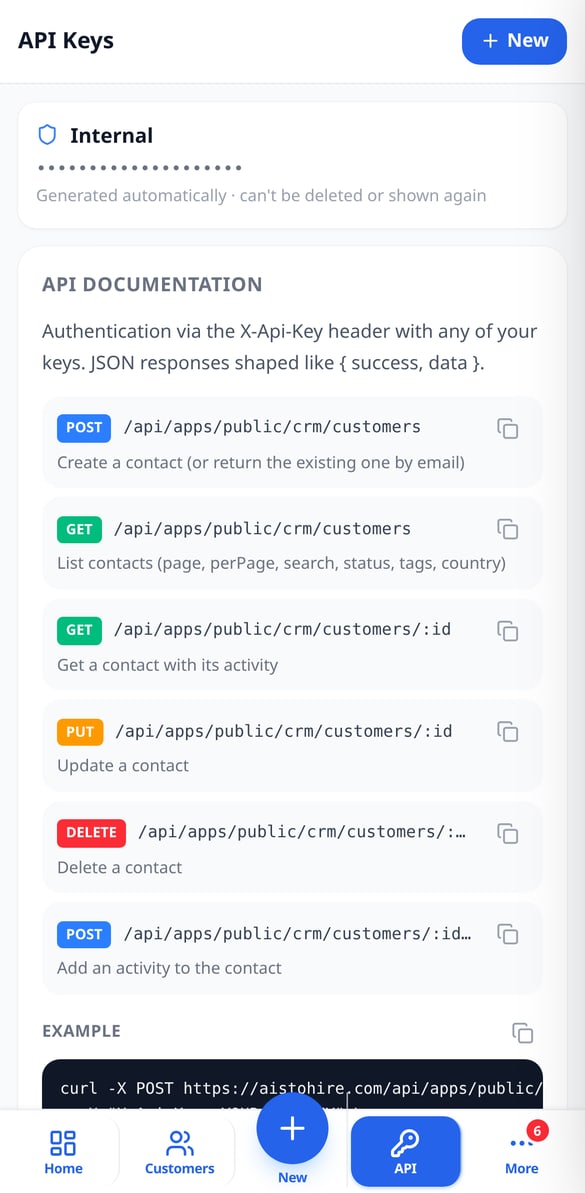
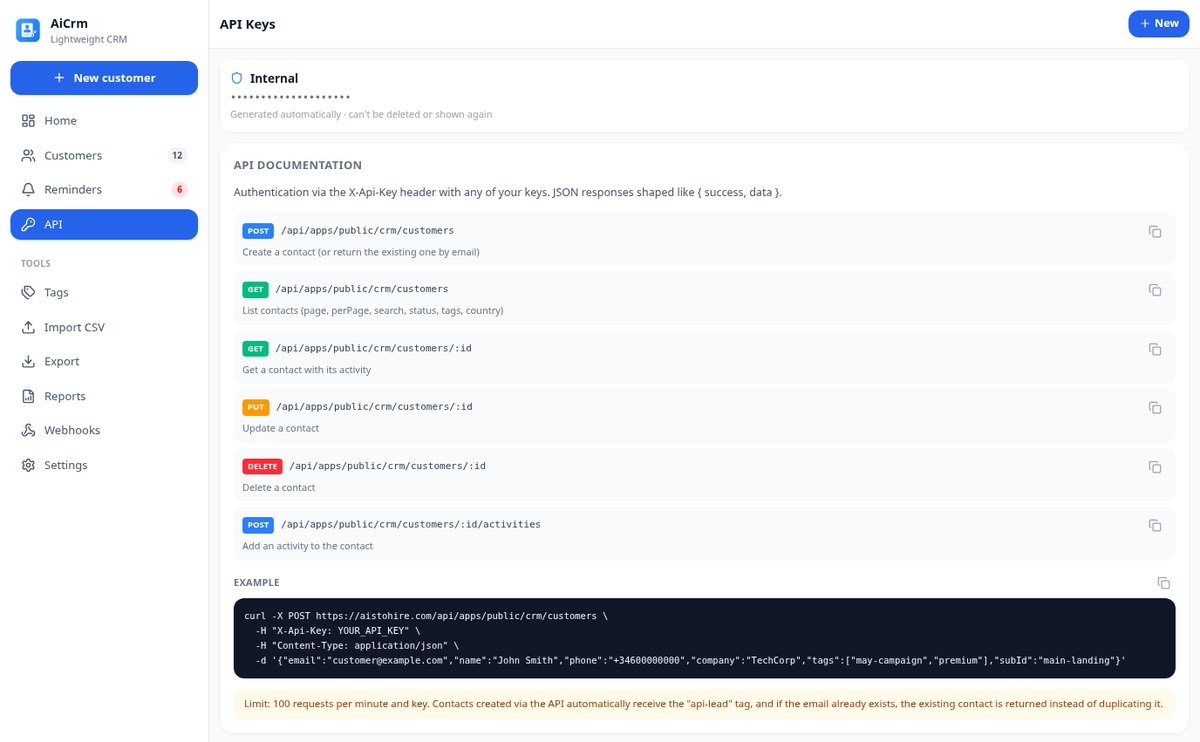
Public REST API CRM: create and query customers with an X-Api-Key HTTP header, up to 20 keys per integration, and outgoing webhooks signed with HMAC-SHA256. Lead registration from your website without duplicates.
View feature
Customer and Activity PDF Reports from your CRM | AiCrm
Generate PDF reports from your CRM: executive summary with metrics and distribution by country, filtered contact list, and chronological activity detail, with date range, lifecycle status, and country filters. Also available in CSV.
View featureFrom first contact to follow-up
Hal-hal yang diselesaikan TimeTrack setiap hari untuk yang absen maupun yang mengelola tim.

Records with tags, statuses, and timeline
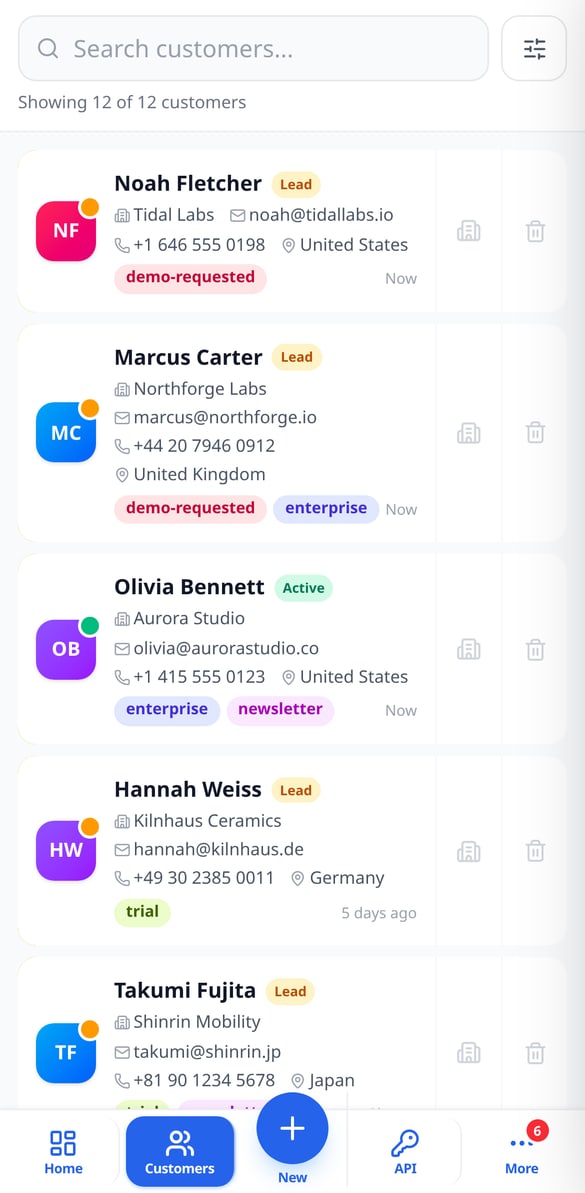
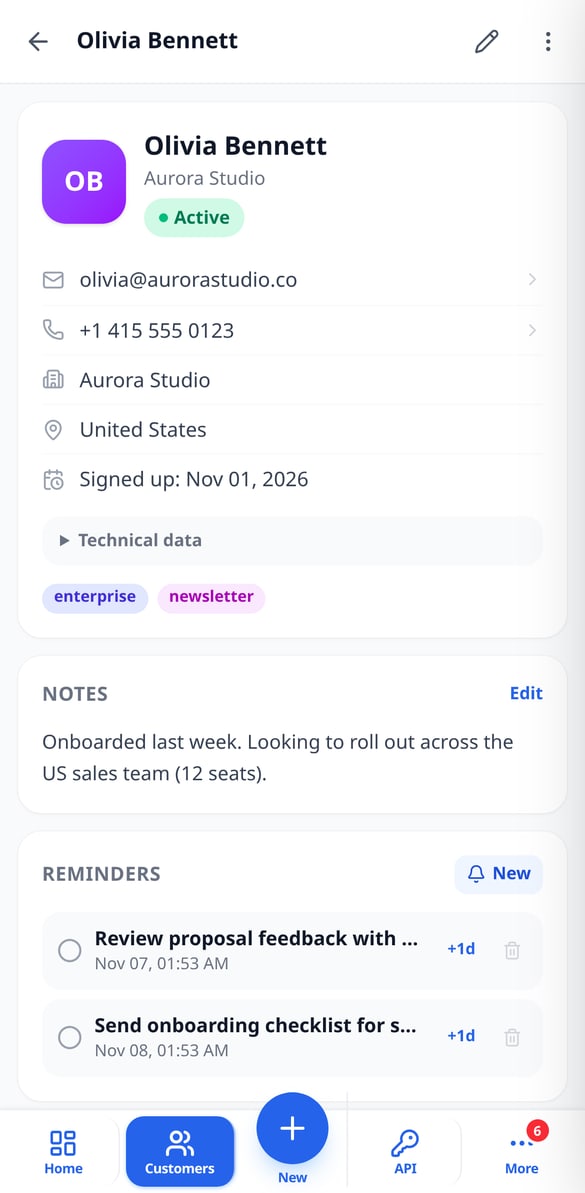
Each customer has a name, email, phone, company, country, notes, and the tags you assign, plus a lifecycle status: lead, active, inactive, or lost. Below, a timeline with everything that has happened — the signup, status changes, your calls, emails, meetings, and notes —. You search by name, email, phone, or company and filter by status, tags, country, or dates.

Reminders, duplicates, and CSV
Schedule a follow-up with a date and time, and mark it as done or postpone it when needed. If two records are the same person, AiCrm detects them by email, phone, or similar name and merges them field by field, combining tags and activity. Import your list from a CSV by mapping the columns and export it whenever you want by choosing which fields to include.

REST API, webhooks, and dashboard
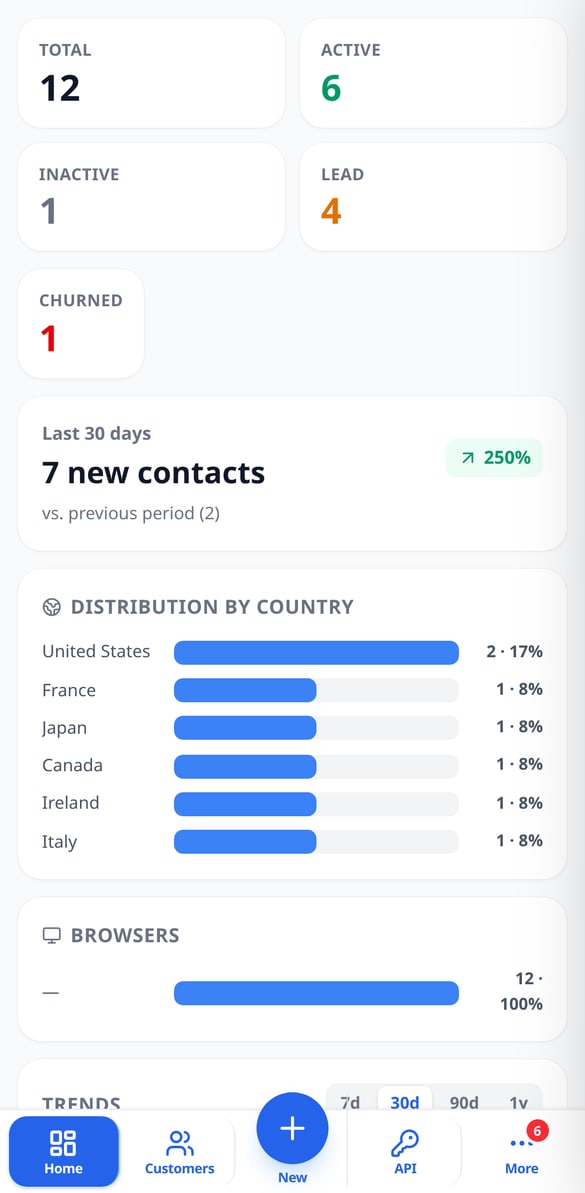
Create API keys with their own names and add contacts from your website, form, or chatbot with the tags you decide; if the email already exists, it isn't duplicated. When something changes, your webhooks receive the signed event. And the dashboard shows you the total by status, new signups from the last 30 days with their change, the source countries and browsers, and trend charts.
Get started in three steps
Daftar
Buat akun Anda dalam hitungan detik.
Atur dan bawa tim Anda
Tetapkan jam kerja mingguan, hari kerja, hari cuti per tahun, dan, jika Anda mau, area tempat absen diperbolehkan. Lalu sinkronkan tim Anda dari pengguna akun atau daftarkan secara manual.
Absen dan kelola
Setiap orang absen dari ponselnya dan melihat jam kerjanya; Anda melihat tim secara langsung, menyetujui cuti, menyusun shift, dan mengunduh catatannya kapan pun diperlukan.
Frequently Asked Questions
Latest blog articles
Guides and news to get more out of it

Switching CRM without paying a toll: what the Data Act guarantees you from January 12, 2027
From January 12, 2027, the Data Act prohibits exit fees from a SaaS. Audit your CRM contract and migrate your contacts without losing data.
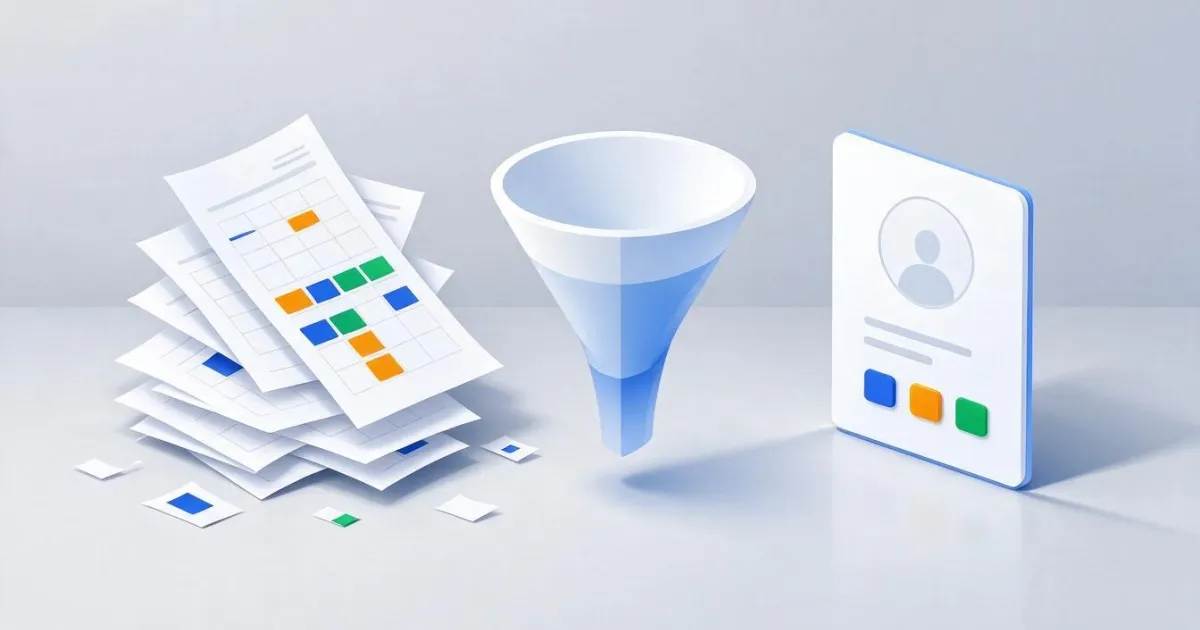
How to transfer your clients from Excel to a CRM without losing data or duplicating contacts
Step-by-step guide to migrating your client database from Excel to a CRM: prepare the sheet, export the CSV in UTF-8, map the columns, import in batches, and merge duplicates without losing data.
Organize your customer base today
Buat akun gratis Anda, atur jam kerja, dan mulai absen hari ini juga.